Fractions on the TI-30XS: Enter, Convert & Simplify
Fractions are where the TI-30XS MultiView quietly outclasses cheaper calculators: it has a dedicated fraction key, a mixed-number key, and two conversion keys, and it displays fractions stacked like a textbook instead of squeezed onto one line. Used properly, it also ends the two classic fraction headaches — answers left unsimplified, and decimals where the question wanted a fraction. This guide covers every fraction key with steps and examples; it follows on from our TI-30XS MultiView guide.
Quick answer: Press the [n/d] key to open a fraction template, type the numerator, press the down arrow, type the denominator, then the right arrow to step out. Mixed numbers use [2nd] [U n/d]. Convert mixed ↔ improper with [2nd] [n/d ↔ U n/d], and fraction ↔ decimal with [2nd] [f ↔ d]. Results simplify automatically.
The 4 Fraction Keys You Need
| Key | Its job |
|---|---|
| [n/d] | Enters a simple fraction (numerator over denominator) |
| [2nd] [U n/d] | Enters a mixed number — whole part plus fraction |
| [2nd] [n/d ↔ U n/d] | Converts a mixed number to an improper fraction, and back |
| [2nd] [f ↔ d] | Converts a result between fraction and decimal form |
Two behaviours to know before the steps. First, the TI-30XS shows fraction results as improper fractions by default — 7/3 rather than 2 1/3 — until you convert them. Second, it simplifies results automatically, so the answer on screen is already in lowest terms.
How to Enter a Simple Fraction
- Press [n/d]. A stacked fraction template appears with the cursor in the numerator.
- Type the numerator, then press the down arrow to drop into the denominator.
- Type the denominator, then press the right arrow to step out of the fraction and continue your calculation (or press ENTER to finish).
One quirk worth knowing: if you type a number first and then press [n/d], that number becomes the numerator. For a calculation that starts with an operation or a root inside the fraction, press [n/d] before typing anything, so the template wraps the whole expression.
How to Enter a Mixed Number
- Type the whole-number part.
- Press [2nd] [U n/d] — this tells the calculator a mixed number is coming.
- Type the numerator, press the down arrow, type the denominator, then the right arrow to step out.
So 4 1/2 is entered as: 4, [2nd] [U n/d], 1, down, 2, right. The display shows it as a proper mixed number, and any calculation treats it as four and a half — not as 4 × 1/2, the mistake paper working invites.
Adding Fractions: A Worked Example
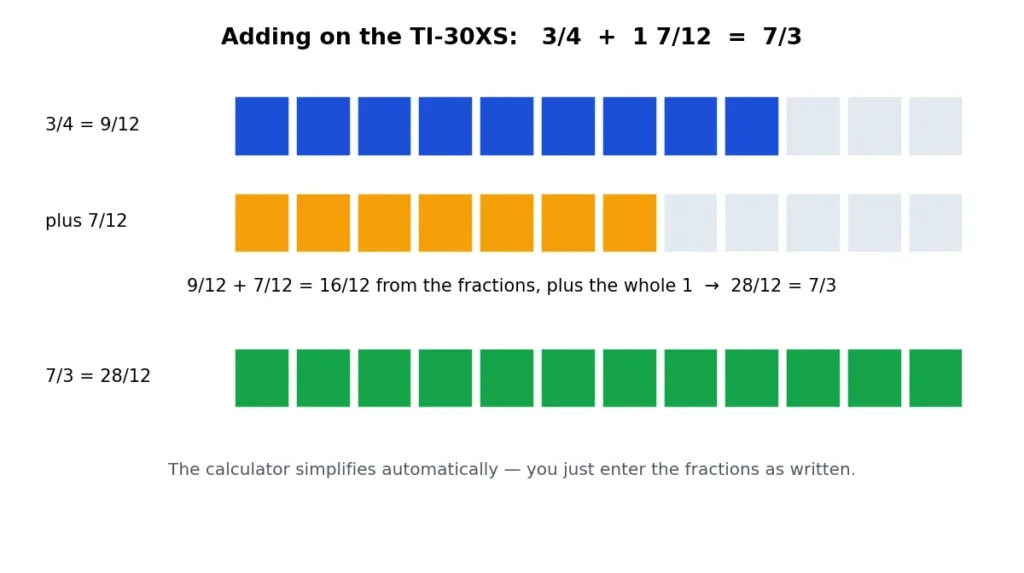
Add 3/4 + 1 7/12. Enter the first fraction with [n/d] (3, down, 4, right), press +, then the mixed number (1, [2nd] [U n/d], 7, down, 12, right), and press ENTER. The TI-30XS answers 7/3 — simplified automatically. In twelfths you can see why: 3/4 is 9/12, and 9/12 + 7/12 plus the whole 1 makes 28/12, which is 7/3. The calculator skips the common-denominator step entirely; your only job is entering each fraction in the right form.
Converting Between Forms
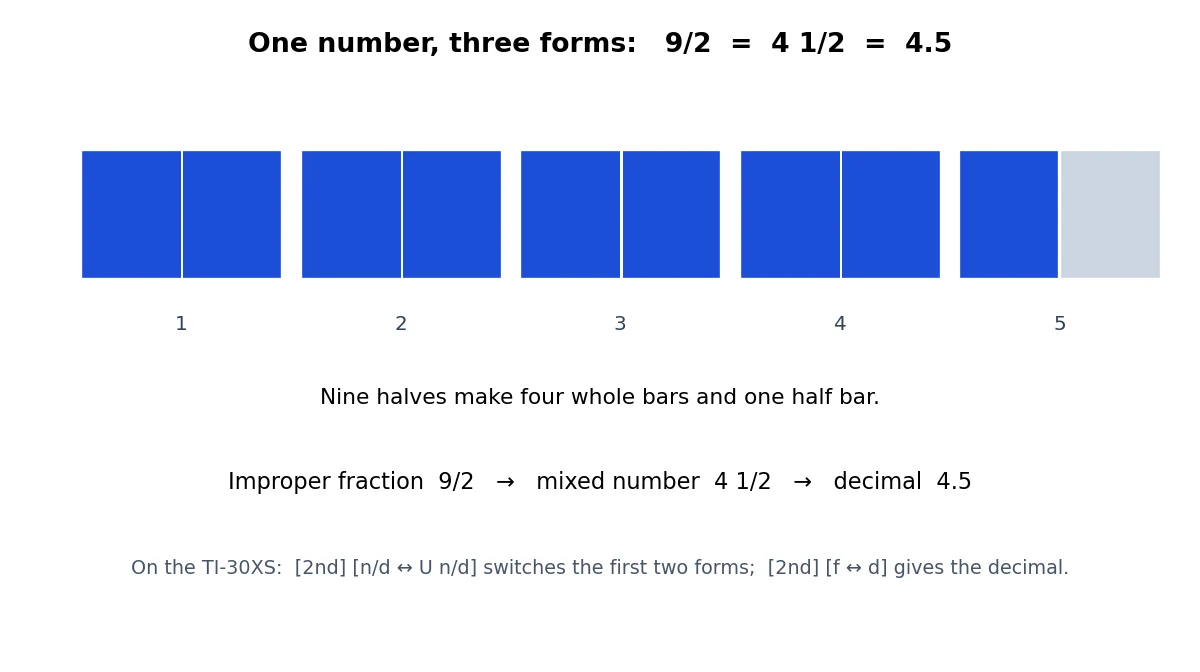
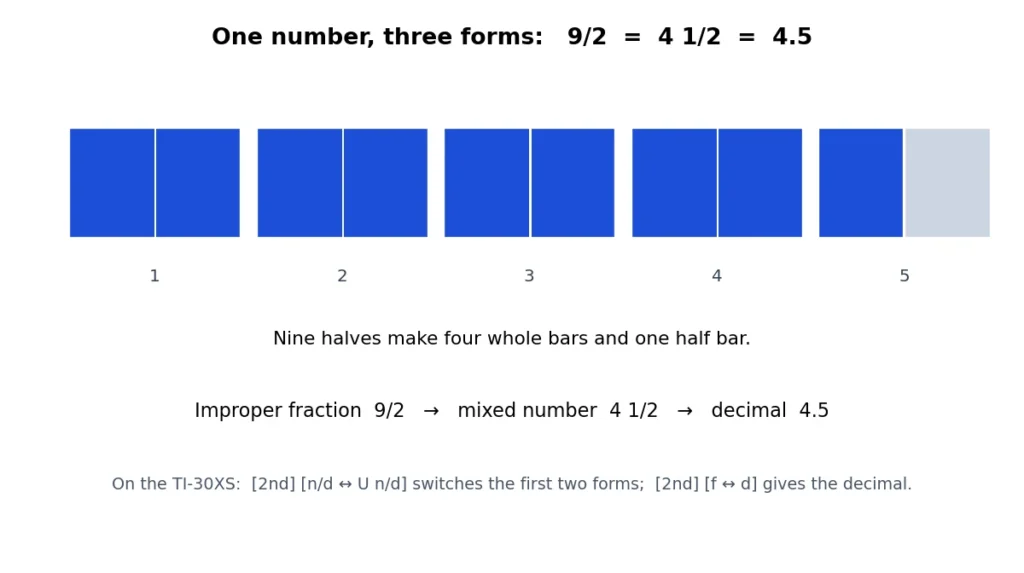
Three conversions cover nearly every question. Mixed to improper (and back): with a value on screen — say 9/2 — press [2nd] [n/d ↔ U n/d] and ENTER to see 4 1/2; press the same keys again to flip back. Fraction to decimal: with 4 1/2 entered, press [2nd] [f ↔ d] and ENTER for 4.5; the same key turns a decimal back into a fraction whenever an exact fraction exists. These toggles are the fastest marks in any test: the working stays exact, and you present the answer in whichever form the question asked for.
Common Mistakes with TI-30XS Fractions
- Pressing ÷ instead of [n/d]. Division gives a decimal and loses the exact fraction; the [n/d] template keeps everything exact.
- Forgetting to step out of the fraction. If you skip the right arrow, the rest of your calculation lands inside the denominator.
- Reading the default improper answer as “wrong”. 7/3 and 2 1/3 are the same number — convert with [2nd] [n/d ↔ U n/d] if the question wants a mixed number.
- Entering a mixed number without [U n/d]. Typing 4 then a fraction gives 4 as the numerator of a new fraction, not four-and-a-half.
- Expecting complex fractions in Classic mode. In Classic mode (and in the data editor and table), fraction templates cannot contain operations — use MathPrint mode, the calculator’s default display, for those.
Frequently Asked Questions
Where is the fraction key on the TI-30XS?
The [n/d] key is the fraction key: it opens a template with the cursor in the numerator. Its [2nd] functions add mixed numbers ([U n/d]) and the two conversion keys.
Does the TI-30XS simplify fractions automatically?
Yes. Results are simplified to lowest terms automatically, and are shown as improper fractions by default until you convert them to mixed numbers.
How do I turn a fraction into a decimal on the TI-30XS?
Enter or calculate the fraction, then press [2nd] [f ↔ d] and ENTER. The same key converts a decimal back to a fraction when an exact one exists.
How do I enter a mixed number like 2 3/5?
Type 2, press [2nd] [U n/d], type 3, press the down arrow, type 5, then the right arrow to step out of the template.
Why did my fraction answer come out as a decimal?
The display form follows your inputs — if any part of the calculation was a decimal, the result shows as a decimal. Press [2nd] [f ↔ d] to toggle it back to a fraction.
Is this the same as fractions on the TI-84?
Similar ideas, different keys. The TI-84 uses its own template and MATH menu conversions — our TI-84 fractions fix guide covers that calculator; this page is only for the TI-30XS.
Keep Going
Fractions plus the [table] key are the TI-30XS’s two hardest-working features — our TI-30XS table mode guide shows the other one. And if these fractions are GED preparation, the TI-30XS GED guide pulls the whole exam picture together.
And when you need the full-size machine itself, the free TI-84 calculator online is open in your browser any time.